Attendance Reporting

If your child will be late or absent from school for the day, please report their absence to the school in ParentVUE

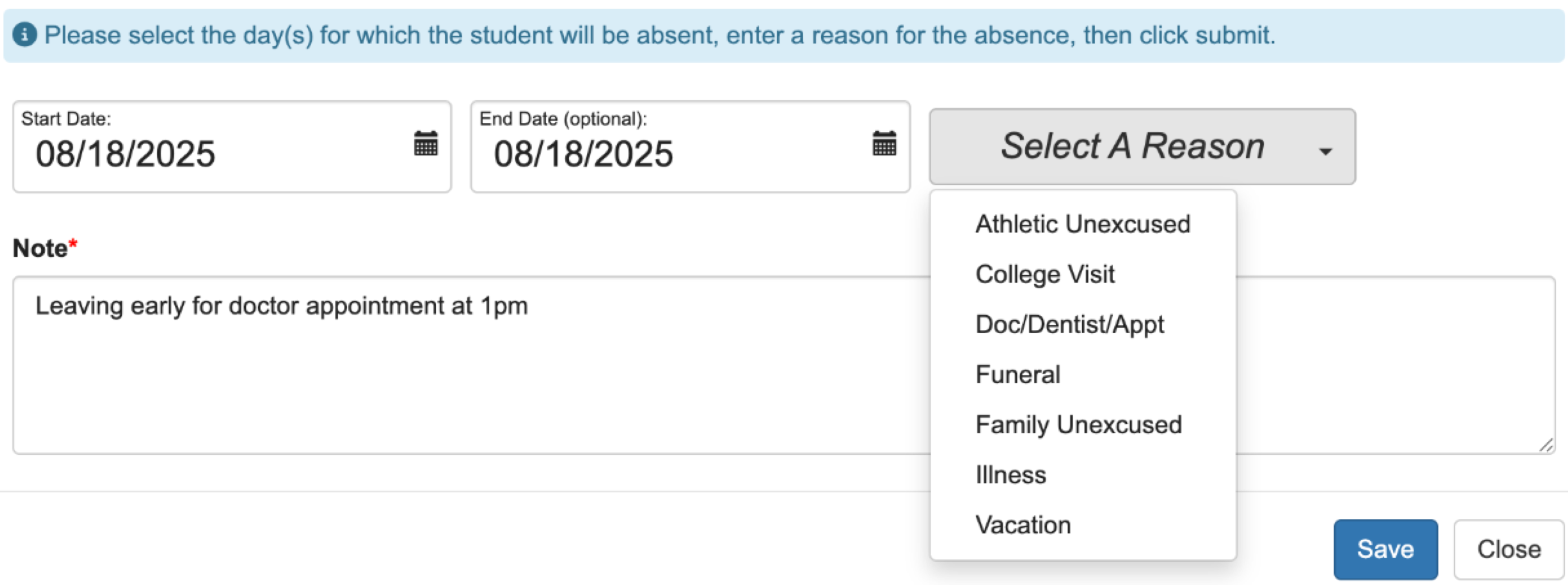
Record your student's absences electronically via ParentVUE (including future and/or planned absences). Log into ParentVUE and select “Record Absence” next to your child’s name to begin the process. School staff will review new entries daily as soon as possible.

Screenshot of a student attendance page showing September and October 2025 calendars. An arrow points to a blue Report Absence button in the top right corner above the calendar. Attendance status icons are at the bottom.

If you are picking up your student early from school, please include the pickup time in the note area, and our staff will send a pass to the student so they are ready to be picked up when you arrive.

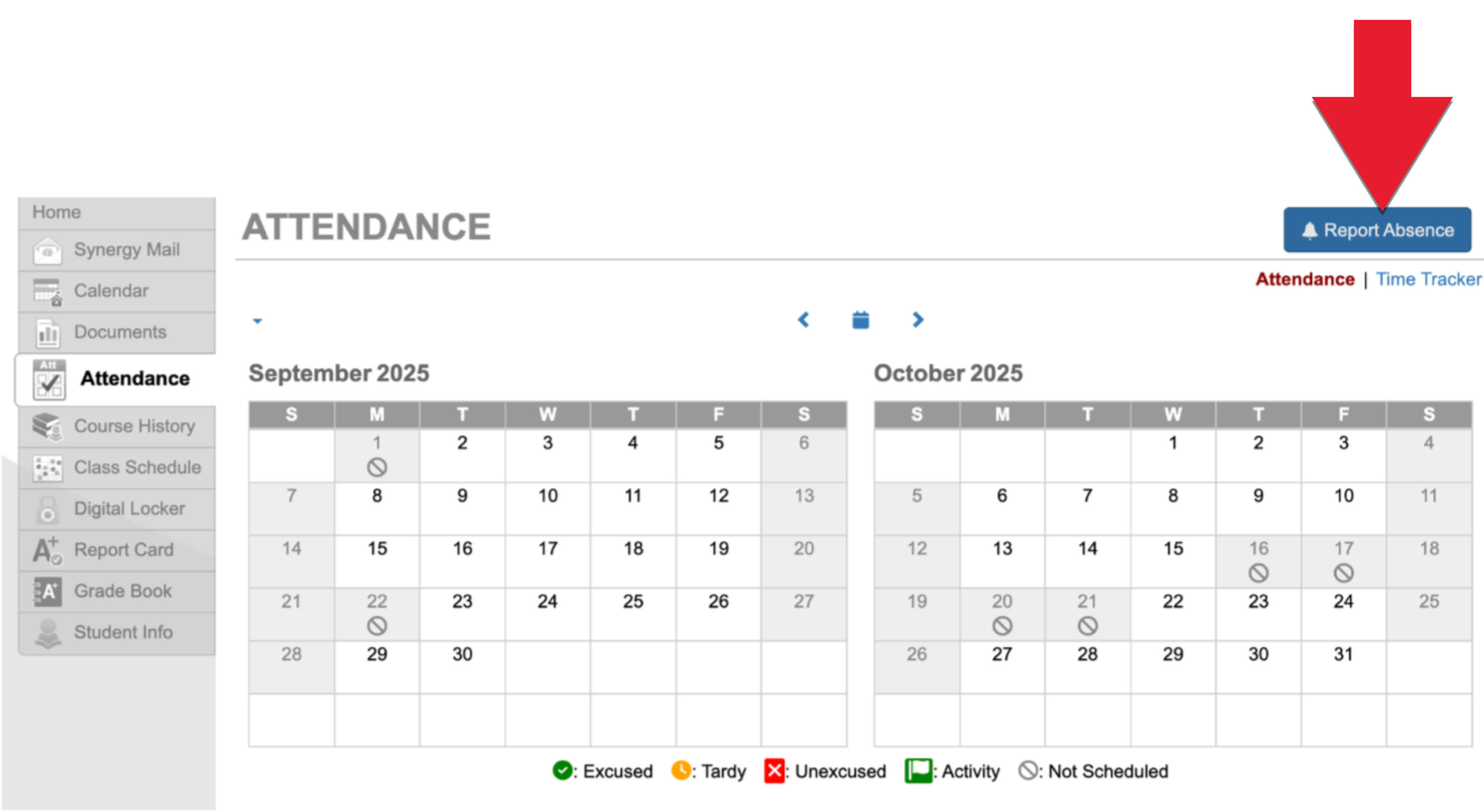
Screenshot of an online absence form with fields for start and end date, a dropdown menu for selecting a reason, and a note field filled with Leaving early for doctor appointment at 1pm.
Simple illustration of a person holding a shovel and digging into a pile of dirt or sand, depicted with minimalistic shapes and solid colors.

Under Construction

Please note: We are in the process of updating our faculty directory over the summer and thus some information may be out of date.